Latest Updates
Profile Page Optimization — Faster Loading, Smoother Carousel, Better Error Handling
Profile page now loads significantly faster with lazy initialization and code splitting. The generation carousel no longer stutters when clicking arrows. Upload failures are handled gracefully with retry options and error feedback throughout.
- •Lazy Tab Loading — Wardrobe, Poses, and Creations tabs now load data on-demand when you first visit them, instead of all at once on login. Cached data is shown instantly while fresh data loads in the background
- •Code Splitting — Heavy components (WardrobeView, PoseView, GenerationView, Onboarding) are dynamically imported. Smaller initial bundle means faster first paint
- •Carousel Fix — Resolved stuttering and flickering when clicking left/right navigation arrows in the generation carousel. Fixed competing GSAP animations and consistent animation cleanup across all input methods
- •Error Recovery — All profile tabs now show a friendly retry button if loading fails. Upload failures no longer leave orphan "processing" cards — items are cleaned up or marked as error with clear feedback
- •Smarter Upload Tracking — Processing items stay visible during your current session but are automatically cleaned up on page refresh. Stale uploads older than 10 minutes are auto-repaired
- •Toast Feedback — Like, unfavorite, and delete operations now show toast notifications on failure with automatic state rollback, so you always know what happened
Brand New Generation Panel — Immersive Creation Experience
The image generation panel has been completely redesigned. A cinematic full-screen experience with floating images on a blurred backdrop, a smooth physics-based carousel, and a streamlined Composer bar — all designed to keep you in the creative flow.
- •Immersive Full-Screen Stage — Images float directly on a blurred backdrop for a cinematic feel. No more boxy containers — pure visual immersion
- •Smooth GSAP Carousel — Physics-based scrolling with dynamic sizing that adapts to portrait, landscape, and square images. Click any image to enter fullscreen preview
- •Redesigned Composer Bar — Inline attachment button, progressive parameter disclosure (ratio, resolution, count), and a prominent one-click generate button with GP cost display
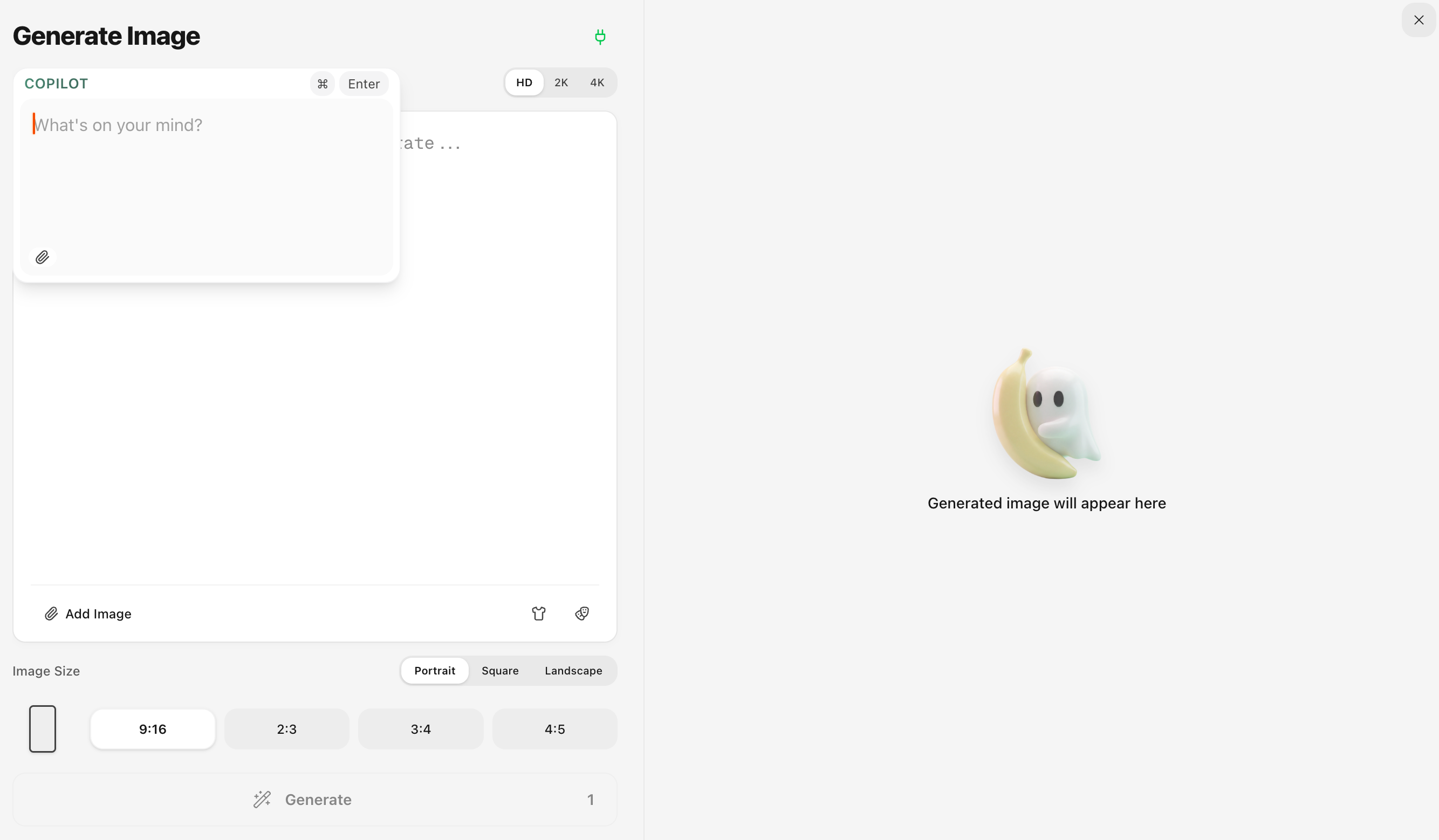
- •Copilot Dual Mode — Optimize your prompt (1 GP) or edit an existing image (5 GP), all from the same input. Toggle between modes with a clean segmented control
- •Keyboard Shortcuts & UX — Cmd+Enter to generate, ESC to exit, click blank area to close. Responsive design across laptop, desktop, and large displays
Nano Banana 2 — Faster, Cheaper, More Creative
We've integrated Google's latest Nano Banana 2 (Gemini 3.1 Flash Image) model. Enjoy Pro-level image quality at a fraction of the cost, with exclusive new resolutions and ultra aspect ratios.
- •New Model: Banana 2 — Toggle between Banana Pro and Banana 2 with the stylish Banana 2 button next to the title. Banana 2 delivers Pro-level quality at Flash speed
- •Lower GP Cost — Banana 2 images cost only 3 GP (HD), 4 GP (2K), and 8 GP (4K), compared to 5 GP and 10 GP for Banana Pro. That means up to 166 HD images per month on the Basic plan
- •New Lite Resolution (512px) — Exclusive to Banana 2, only 2 GP per image. Perfect for rapid iterations and draft previews
- •Ultra Aspect Ratios — Banana 2 unlocks extreme ratios: 1:4, 1:8 (super tall) and 4:1, 8:1 (super wide). Find them in the new B2 tab in the aspect ratio selector
- •Better Text Rendering — Banana 2 renders text in images with higher accuracy, supporting multi-language in-image localization
- •Note: Due to Google's official API being newly launched, generation speed may have higher latency than usual. Lite and 2K resolutions perform best. We expect this to be resolved soon

Russian Language Support — Привет!
Local Banana now speaks Russian! The entire UI — homepage, gallery, subscription, profile, FAQ, and more — is now available in Russian. Спасибо to our growing community in Russia and Ukraine.
- •Full UI Localization: Every page and component — from the homepage to subscription management — is now translated into natural, idiomatic Russian
- •Easy Switching: Select Russian from the language menu in the sidebar or mobile menu to switch instantly
- •5 Languages: Local Banana now supports English, 中文, 日本語, 한국어, and Русский
Copilot Edit — See It, Change It, Done
See something you want to tweak? Don't download, re-upload, or re-prompt from scratch. Just tap edit, type what you want changed, done. Same vibe, better result — all without leaving the canvas.
- •Edit Mode Toggle: Click the pen icon in Copilot to switch between prompt mode and image edit mode
- •Text-Based Editing: Describe changes like "change background to beach" or "make the outfit red" — no masks needed
- •Resolution & Ratio: Choose your preferred resolution and aspect ratio — both can be adjusted freely when editing
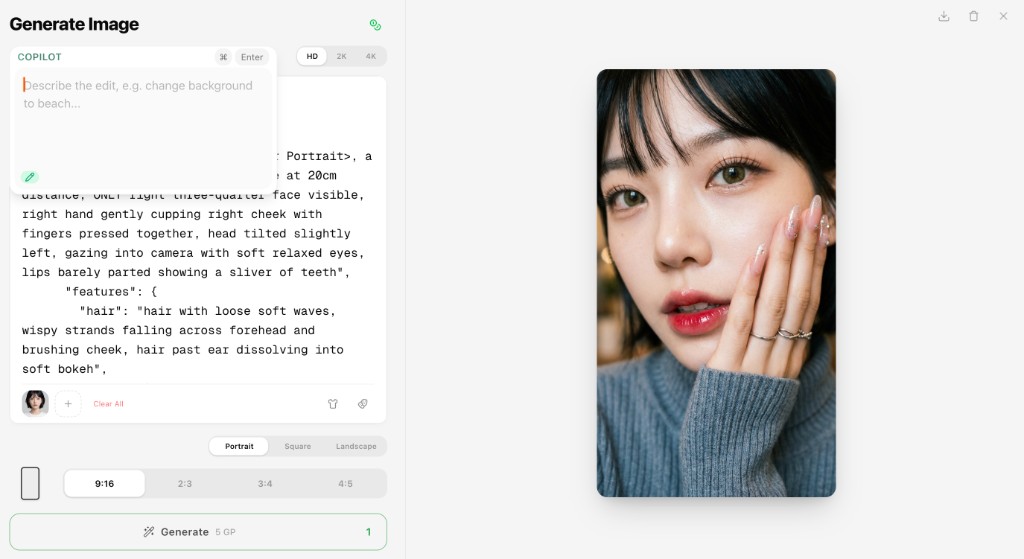
Profile Page Performance Improvement
The Profile page now loads significantly faster. Favorites load instantly from cache, and creations load on demand as you scroll — no more waiting for everything upfront.
- •Faster Profile Loading: Removed blocking server-side data fetch for a much quicker initial page load
- •On-Demand Creations: Your generated images now load progressively as you scroll instead of all at once
- •Smoother Transitions: Improved skeleton loading for a seamless experience between loading and content
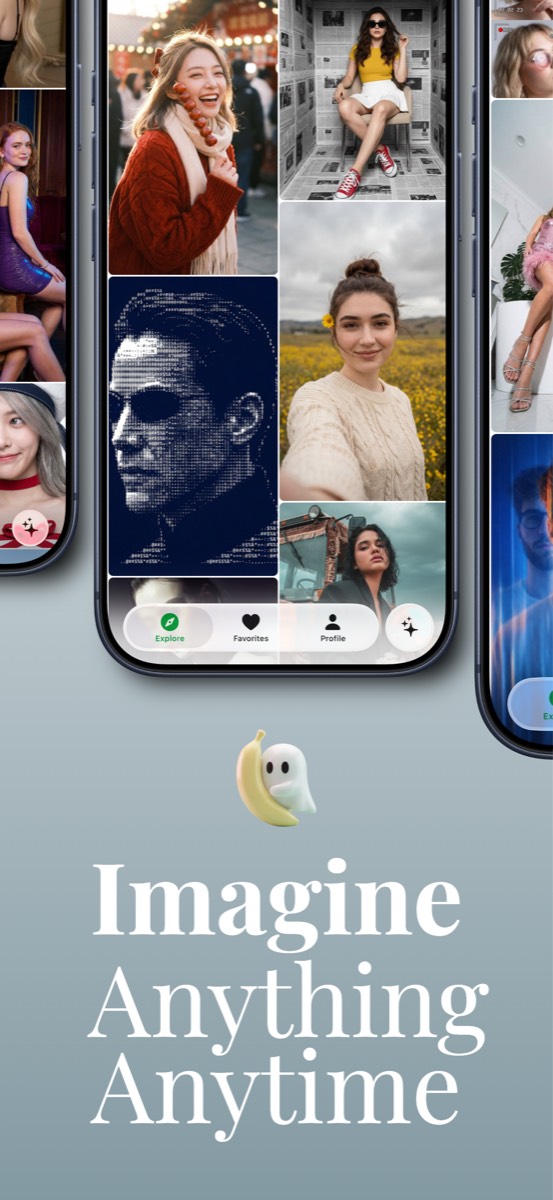
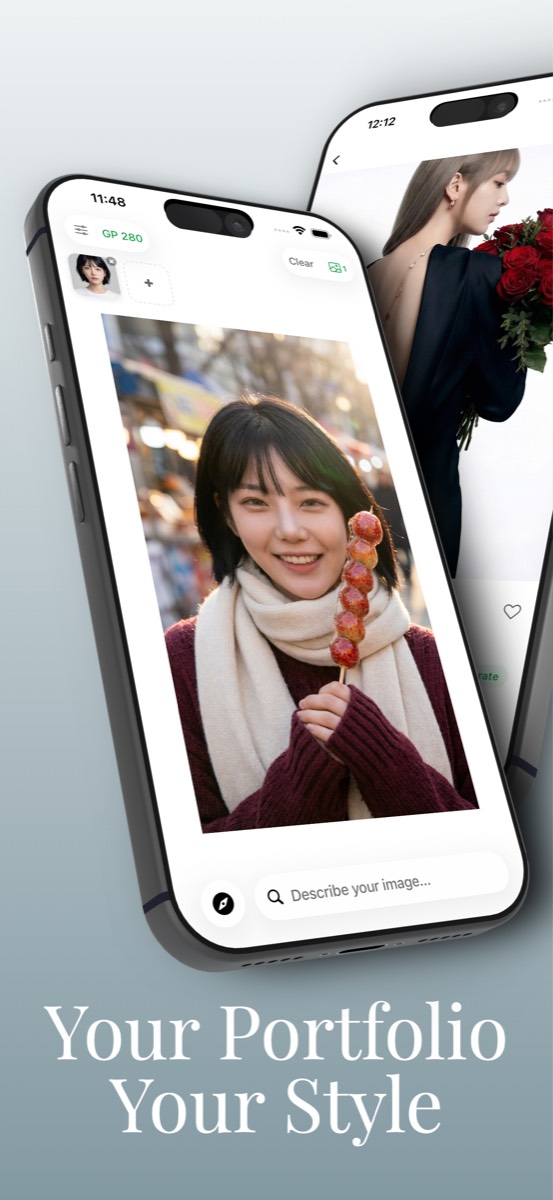
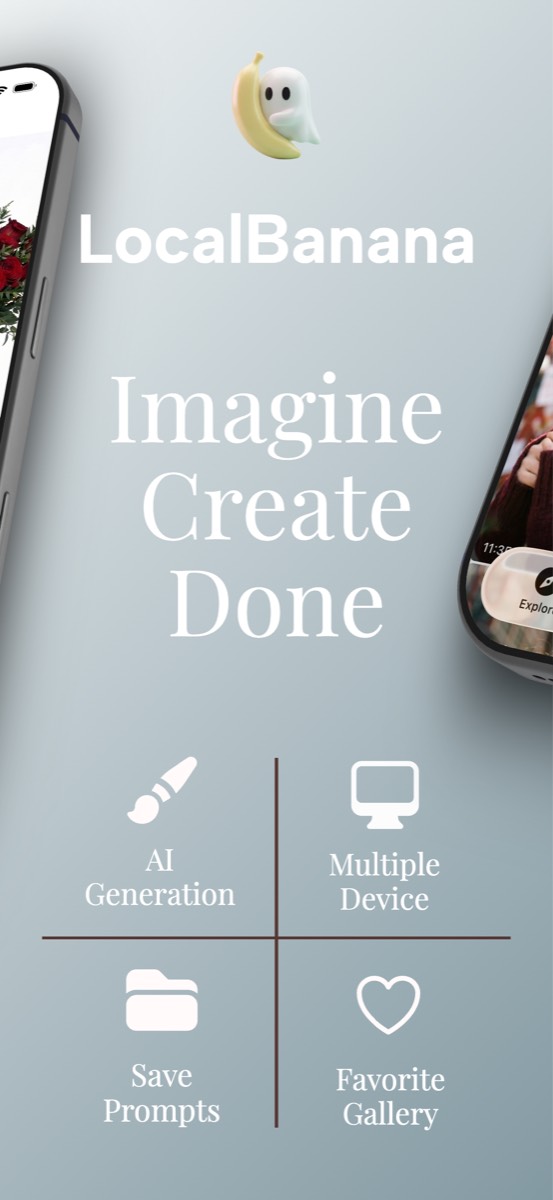
LocalBanana iOS App — Coming Soon to App Store
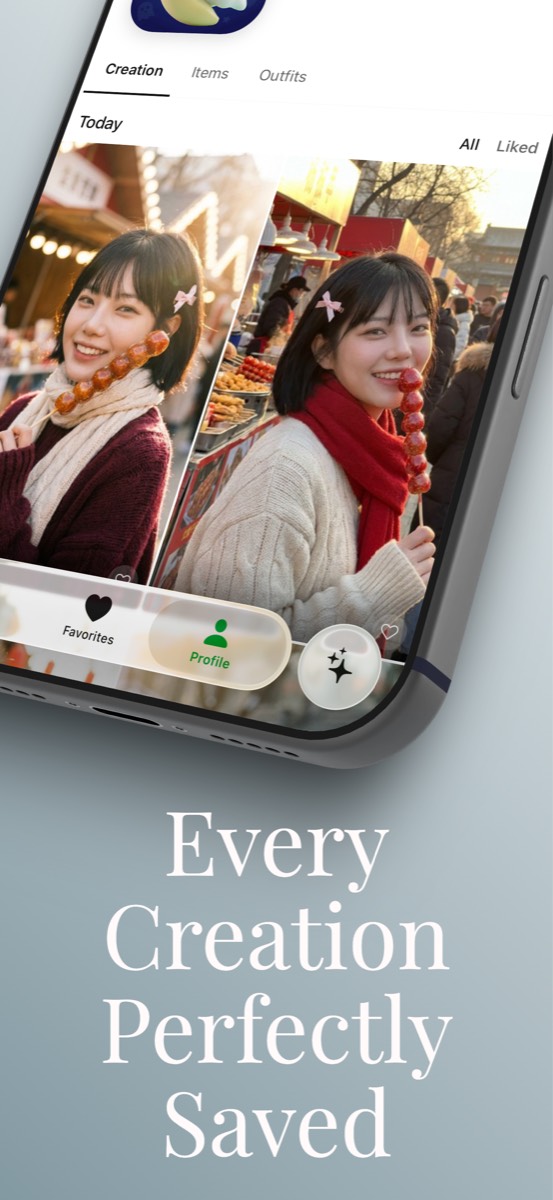
We're excited to announce that the LocalBanana iOS app is entering its final testing phase and will be available on the App Store soon. Take the full prompt gallery with you — browse, copy, and create wherever you are.
- •Full Prompt Gallery: Browse the complete library of studio-grade prompts on mobile with smooth scrolling and gesture navigation
- •One-Tap Copy: Copy any prompt instantly and paste it into Gemini or your preferred AI model
- •Favorites & Collections: Save your favorite prompts and organize them into personal collections
- •Offline Browsing: View your saved prompts even without an internet connection
- •Native iOS Experience: Designed for iPhone with haptic feedback, smooth animations, and Dark Mode support
New Landing Page & Brand Refresh
We've redesigned the LocalBanana homepage with a fresh look. A cleaner layout, better navigation, and a more intuitive first impression for new visitors. Copy. Paste. Create.
- •New Homepage Design: Refreshed visual identity with a cleaner, more modern look
- •Improved Navigation: Easier access to Gallery, Chrome Extension, and documentation
- •iOS App Preview: Dedicated section for the upcoming mobile experience
- •Updated FAQ & Footer: Better organized information and quick links
Happy Lunar New Year! Free GP & Double Top-Up
To celebrate the Lunar New Year and the Year of the Horse, we've updated our logo with a special limited edition design featuring festive red colors and traditional elements. Plus, enjoy special Lunar New Year rewards from Feb 15–21! Wishing all our users a prosperous and joyful new year!
- •Limited Edition Logo: A special Lunar New Year themed logo with festive red design and traditional horse motif
- •Year of the Horse 2026: Celebrating the Lunar New Year with our community worldwide
- •Daily Login Bonus (Feb 15–21): Log in each day to receive 50 GP for free — that's 7 days, up to 350 GP total, equivalent to 70 2K images! Note: daily bonus GP expires at the end of the day and cannot be accumulated
- •Double Top-Up (Feb 15–21): Any top-up amount during the event period will be doubled!
- •Temporary Update: The festive logo will be displayed during the Lunar New Year period and will revert to our classic design afterwards

Japanese Prompt Support - Now Available!
Great news for our Japanese users! Japanese prompts and AI analysis are now fully available. You can now view prompts, AI breakdowns, segment explanations, and editing suggestions—all in natural Japanese. Just click the language switcher and select 日本語 to enjoy the full experience in your language.
- •Japanese Prompts: View all prompts translated into natural Japanese
- •AI Analysis in Japanese: Summaries, explanations, and suggestions now available in Japanese
- •Language Switcher: Easily switch between EN, 中文, 한국어, and 日本語
- •Editing Suggestions: Get Japanese alternatives when customizing prompts
- •Risk Notes: Understand what's safe to edit with Japanese explanations
LocalBanana is Now Open to Everyone!
After months of closed beta testing with hundreds of users, LocalBanana is now open to everyone! No invite codes needed. We've curated 1500+ high-quality prompts with daily updates featuring the latest AI art from around the world. Thank you to all our beta testers—your feedback made this possible.
- •Open Registration: Anyone can now sign up—no invite code required
- •1500+ Curated Prompts: High-quality prompt library with one-click generation, updated daily with the latest global AI art
- •LocalBanana Copilot: AI assistant for writing, reverse-engineering, and refining prompts, with built-in Fuji Color Science Expert
- •3D Carousel Display: Stunning immersive 3D carousel effect to showcase your creations
- •Image Zoom & Pan: Zoom in and drag to explore every detail of your images
- •Onboarding Tour: Interactive guide helps new users get started quickly
- •Look Pass & Pose Deck: Outfit cards + 40+ curated poses—swap looks and poses with one click
- •Ghost Points System: Affordable billing with up to 50% savings vs official API pricing
- •Global Payments: Alipay, WeChat Pay, Kakao Pay, Naver Pay supported, plus currency selector
- •Multi-language Support: Full support for English, Chinese, Japanese, and Korean
- •BYOK Still Free: Bring your own API key and use LocalBanana completely free
Ghost Points - An Alternative to BYOK, Generate More, Pay Less
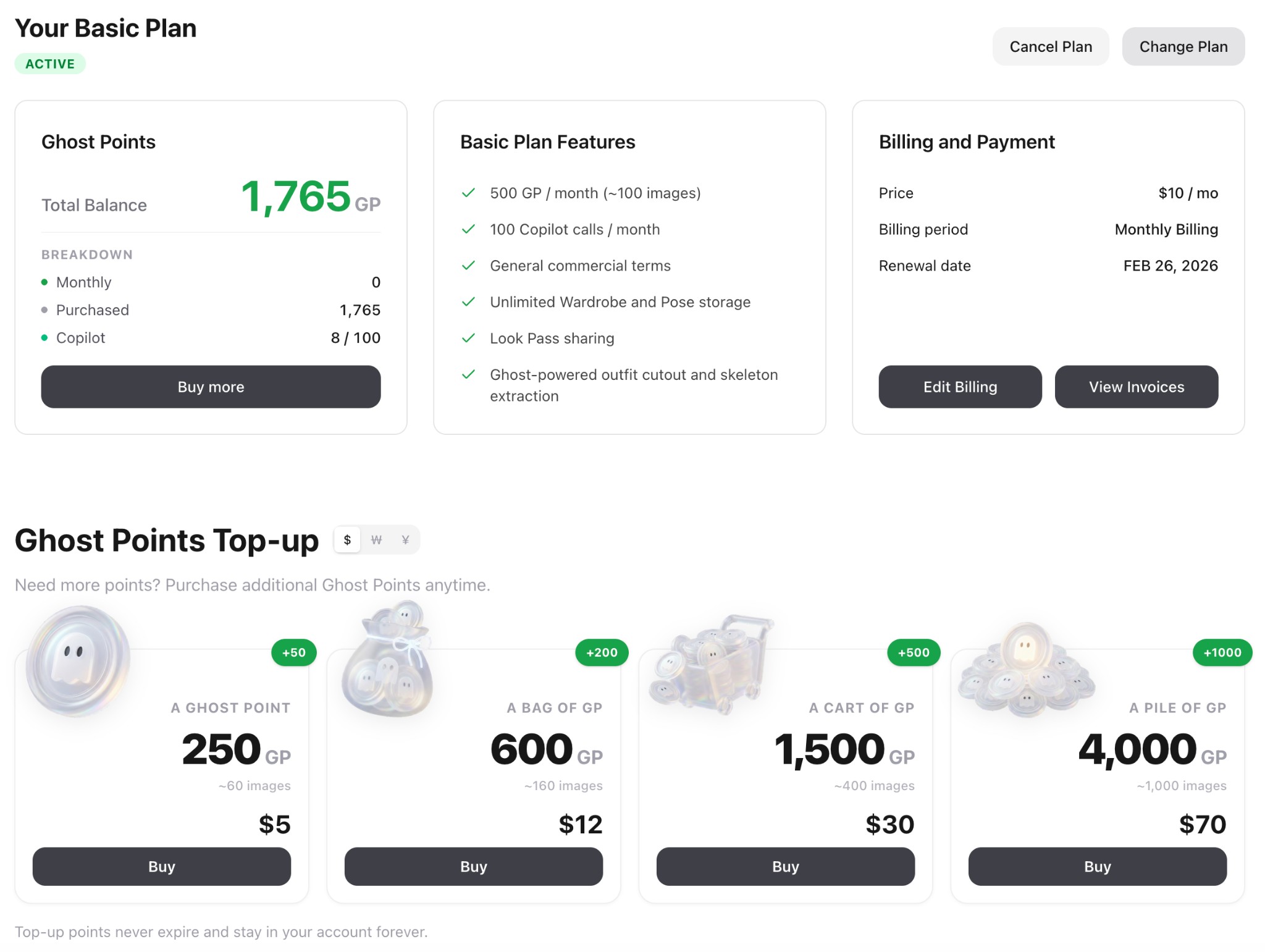
Many users find BYOK (Bring Your Own Key) challenging—network restrictions, overseas payment barriers, etc. So while BYOK remains fully supported for free usage, we've designed an alternative: Ghost Points (GP)—a stable, affordable billing system that works without VPN (China users can access and generate directly) and supports local payment methods. Same quality, lower price, zero hassle. Choose subscriptions or top-up packs with up to 50% savings vs official API pricing.
- •Subscription Plans: Basic ($10/mo, 500 GP) or Pro ($30/mo, 2000 GP) with 20% off yearly billing
- •Top-up Packs: 4 packs from $5 to $70 with up to 25% bonus points that never expire
- •Save Up to 50% Per Image: We subsidize API costs so each image you generate costs up to half of official pricing
- •Pro Benefits: 10% off all top-ups, 500 free Copilot uses/month, unlimited Wardrobe & Pose slots
- •Global Payments: Alipay, WeChat Pay (China), Kakao Pay, Naver Pay (Korea), Stripe Link, all major cards
- •Daily Rewards: All users get 10 GP daily just for logging in (~300 GP/month bonus)
Documentation & Blog Launch - Learn AI Art Like a Pro
We've launched a comprehensive Documentation Center and Blog to help you master AI image generation. The Docs cover everything from getting started to advanced prompting techniques, film simulation guides, and parameter references. The Blog features in-depth tutorials like "100 Best AI Art Prompts" and "Complete Prompt Engineering Guide". Both are fully localized in English, Chinese, Japanese, and Korean.
- •Documentation Center: Comprehensive guides covering Getting Started, Prompt Basics, Film Simulation, Parameters, and Policies
- •Blog Launch: In-depth tutorials including "100 Best AI Art Prompts", "Complete Prompt Engineering Guide", and "Kodak Portra 400 Guide"
- •Full i18n Support: All content available in English, Chinese, Japanese, and Korean with seamless language switching
- •Smart Search: Quickly find articles and guides with built-in search functionality
- •Responsive Design: Optimized reading experience across desktop, tablet, and mobile devices
Public Beta Prep & Experience Upgrade
This update focuses on public beta preparation and user experience upgrades. We've added a new user onboarding system and 3D carousel image display, expanded global payment support (Alipay, WeChat Pay, Kakao Pay), optimized responsive layouts for large screens, and fixed several critical issues.
- •Onboarding Tour: New interactive guide helps users quickly learn Generation and Profile features
- •3D Carousel: Generation page now displays images with a stunning 3D carousel effect
- •Global Payments: Support for Alipay, WeChat Pay (China), Kakao Pay, Naver Pay (Korea), plus currency selector
- •Responsive Layout: Optimized panel ratios and adaptive layouts for large screen devices
- •SEO Optimization: New /prompts landing page, improved multilingual metadata and keywords
- •Category Filtering: Upgraded to server-side queries for better performance
- •Security Fix: Patched RPC permission vulnerability; invalid BYOK keys no longer silently charge GP
- •Bug Fixes: Fixed large image 413 error, GP refund display issues, and dark mode styling
Fuji Color Science Expert - Your New Copilot Partner
Ever had this happen? Same content, different scene, and suddenly the colors drift—skin tones go warm then cold, the mood never quite lands. Now there's a new partner in Copilot: the Fuji Color Science Expert. It translates "the feeling you want" into stable, reusable color language—so every generation feels like the same camera, the same film stock.
- •20 Fuji Film Simulation Presets: One-click access to professional Fuji film looks—from PROVIA's natural realism, to Velvia's high-saturation landscapes, Classic Chrome's documentary restraint, Nostalgic Neg's golden mood, ETERNA's cinematic feel, and Bleach Bypass's cold metallic edge
- •Stable Colors, No Luck Required: Controls color tendency, tonal curves, highlight rolloff, shadow detail, and grain simultaneously—reducing that "looks close but not quite right" drift
- •Auto-Complete Professional Descriptions: Just describe your subject, scene, and mood—it converts your style choice into high-signal prompts with negative exclusions to avoid watermarks, plastic skin, over-sharpening, HDR halos, and noisy artifacts
- •How to Use: Open Copilot and mention you want a Fuji look—Copilot will automatically recommend the best film simulation for your current prompt. Or specify directly: "I want Classic Chrome" or "give me Nostalgic Neg"
Image Zoom & Pan - Explore Every Detail
Now you can zoom in and pan around images to see every detail. Click anywhere on an image to zoom in centered on that point, drag to explore, and scroll to adjust zoom level.
- •Click to zoom: Click anywhere on an image in fullscreen mode to zoom in (up to 250%), centered exactly where you clicked
- •Drag to pan: When zoomed in, drag the image to explore different areas—perfect for examining fine details
- •Mouse wheel zoom: Use your mouse wheel to smoothly zoom between 1x and 5x magnification
- •Touch support: Full touch gesture support for mobile—tap to zoom, drag to pan
- •Works everywhere: Available in both gallery image previews and generated image previews
- •Smart cursor: Cursor changes to indicate current mode—zoom-in, grab, or grabbing
LocalBanana Copilot (Beta) - The First Prompt Agent That Knows Beautiful
From idea to image — without figuring out prompts. The path used to be long: writing prompts, trial and error, going back and forth between different AI models. Now, we've shortened that path to just one sentence. LocalBanana Copilot is a prompt agent that understands your aesthetic—so you can focus on creating beauty, not studying prompts.
- •0 → 1 Generation: Tell Copilot what you want—style, character, atmosphere, lighting, scene—it generates a ready-to-use, standardized prompt instantly
- •Reverse: See a stunning image you love? Upload it and say "reverse this"—Copilot extracts the style DNA into a highly accurate, reusable prompt
- •Natural Language Editing: Want to tweak something like "shorter hair" or "rainy day"? Just say it. Copilot adjusts the prompt to a more stable, beautiful-image-ready state
- •Trained on thousands: Copilot is powered by our optimization pipeline built on thousands of high-quality image prompts—it knows what works
- •BYO Key (for now): Copilot currently requires your own Gemini API key. We've heard your feedback—we're actively working on a solution to remove this barrier
- •Closed beta: Invite codes drop daily—follow @LocalGhost97665 on X, or ask the site admin
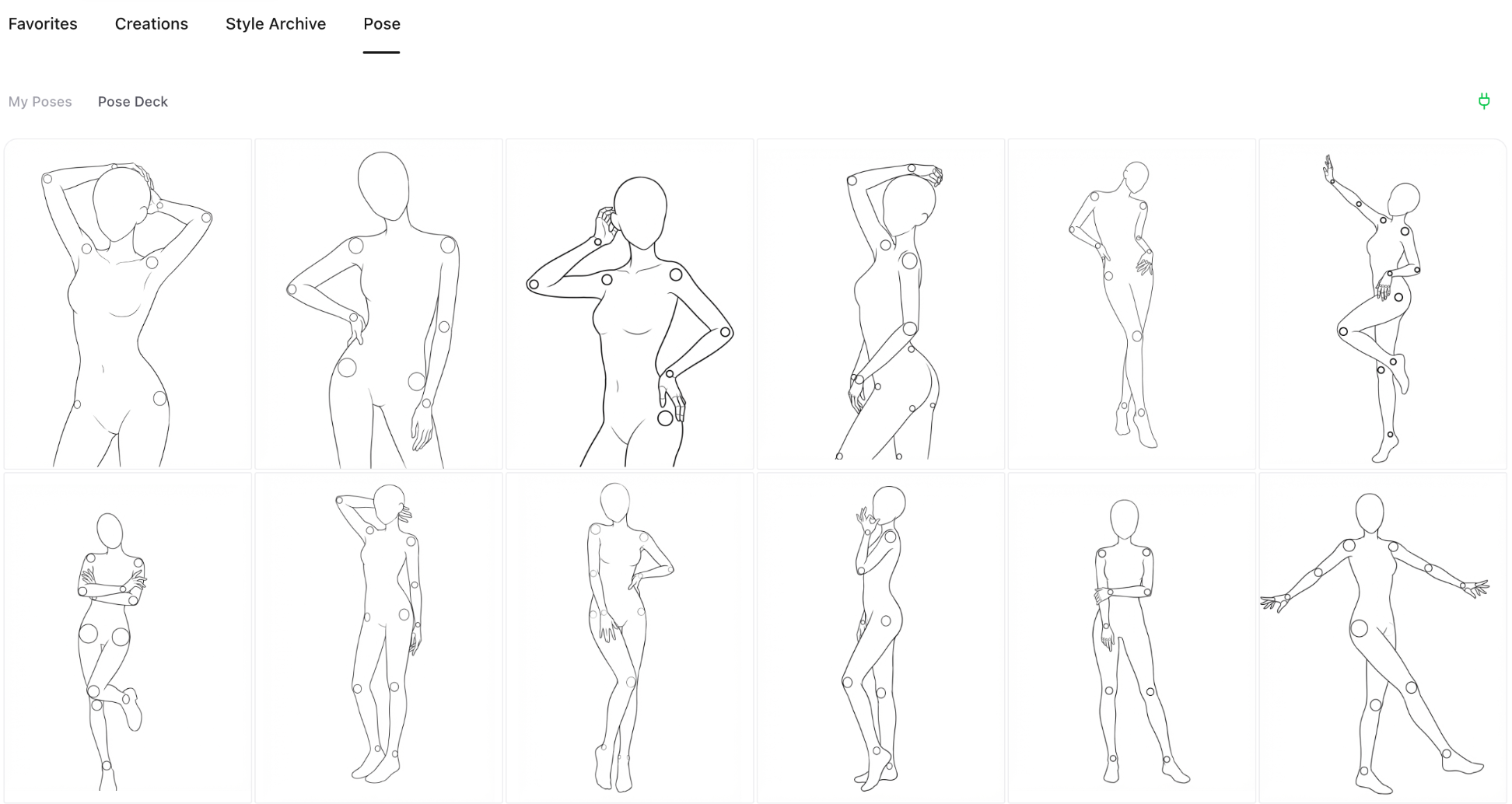
Look Pass & Pose Deck (Beta) - Your AI Styling Toolkit
We've upgraded both Wardrobe and Pose. Look Pass saves outfits as reusable "look cards"—swap looks anytime, share/swap with friends, and iterate without re-uploading. Pose Deck ships with 40+ official curated poses across different actions, so you can get the pose you want without thinking up (or writing) complicated prompt hacks. Note: Both features are currently in closed beta and not yet publicly available. Invite codes are required to access.
- •Look Pass: Save outfits as reusable "look cards"
- •Swap & share: Switch looks anytime and share/swap with friends (no re-uploading)
- •Mix references: Stack multiple wardrobe items/outfits as reference images
- •Pose Deck: 40+ official curated poses across different actions
- •No prompt gymnastics: Pick a pose instead of writing complicated prompt hacks
- •Closed beta: Invite codes drop daily—follow @LocalGhost97665 on X, or ask the site admin
Korean Prompt Support & Performance Boost
We've added full Korean prompt support across the platform! Now you can view prompts, AI analysis breakdowns, and suggestions in Korean. We've also made performance improvements: faster image loading, smoother animations, and snappier interactions throughout the app.
- •Full Korean prompt support: view prompts, analysis, and suggestions in Korean
- •Faster image loading throughout the gallery
- •Smoother animations and transitions
- •Snappier interactions with instant response
- •More languages coming soon - stay tuned!
Personal Library Beta - Your Private Collection Universe
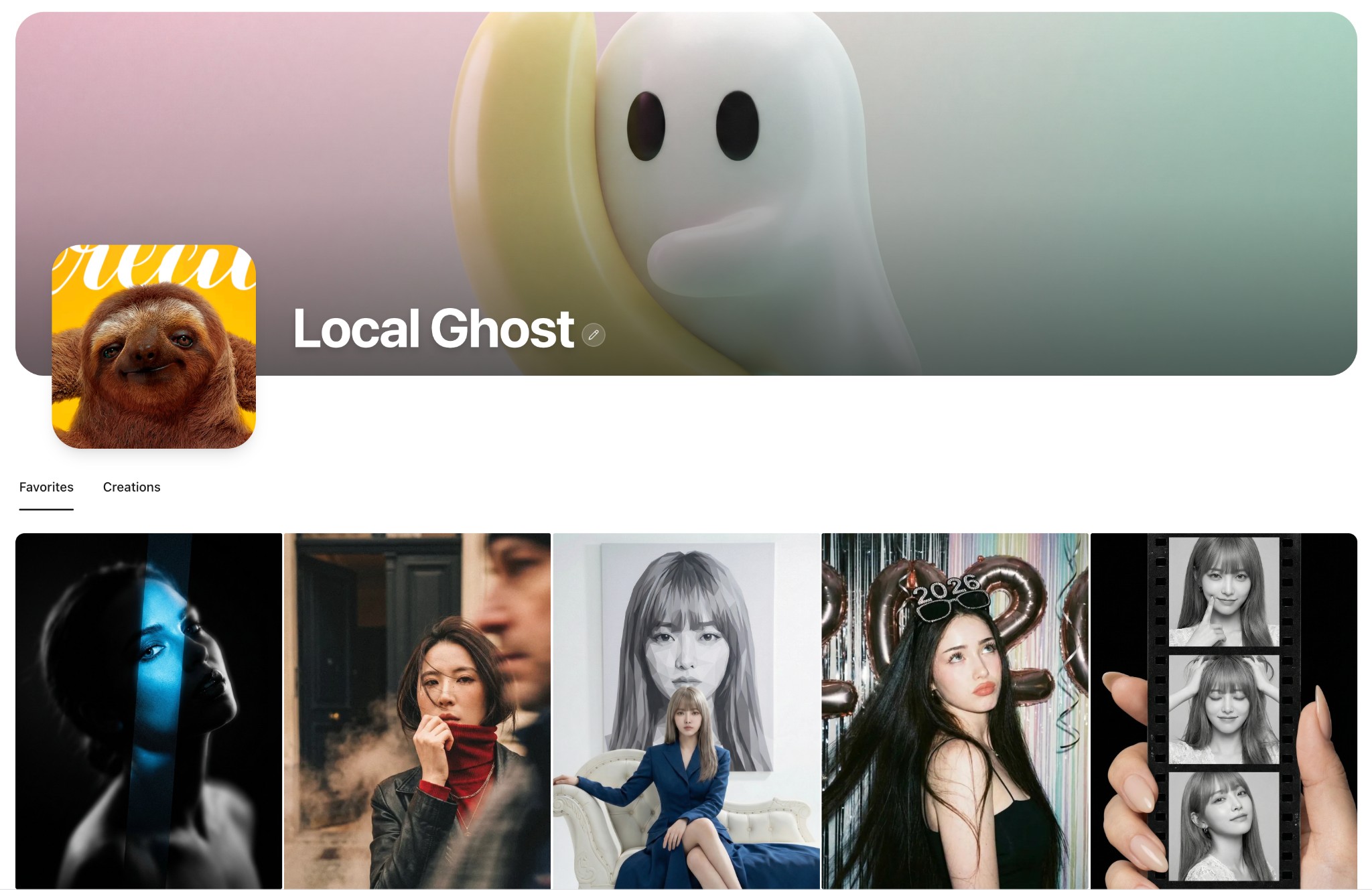
Happy New Year! We're giving you a "long-term" gift: Personal Library is now in beta. It's a space just for you—to save, organize, and revisit your favorite prompts and AI creations. Whether you're a "inspiration hoarder" or always losing track of your work, this should help. The feature is in closed beta with limited invite codes. To join, reach out to @LocalGhost97665 on X (Twitter). We've also polished the Creations experience: one-click original download, safe deletion with confirmation, and smoother prompt reading and generation flows. Stay tuned: This beta is laying the groundwork for major updates ahead.
- •Beta Launch: Personal Library is now available for invited testers
- •Limited invite codes: contact @LocalGhost97665 on X (Twitter) to request access
- •Save & organize: a dedicated space for your favorite prompts and AI-generated images
- •Two tabs: 'Favorites' for gallery items you love, 'Creations' for your own generated images
- •One-click save: see something you like? Save it first, decide later
- •Creations quick actions: download original images instantly, delete unwanted creations with confirmation
- •Personalize your profile: custom banner, avatar, and username—make the space yours
- •UI polish: cleaner prompt reading, more consistent generation flow
- •Coming soon: This beta is laying the groundwork for major updates ahead
Japanese & Korean Language Support - Enhanced Global Experience
We're excited to announce full Japanese and Korean language support across the entire platform! As our user base continues to grow globally, we're committed to providing the best possible experience for everyone. All interface elements, content, and features now support Japanese and Korean, enabling users to explore, create, and enjoy AI art generation in their preferred language.
- •Added complete Japanese language support for all interface elements and content
- •Added complete Korean language support for all interface elements and content
- •Updated sidebar and mobile menu language selectors with Japanese and Korean options
- •Translated all updates page content into Japanese and Korean
- •Localized prompt overlay buttons and generation view interface
- •Enhanced language switching experience with smooth transitions
- •Improved accessibility for Japanese and Korean speaking users
Sidebar Navigation Redesign - Improved Content Discovery
We've redesigned the sidebar navigation to make content discovery more intuitive and efficient. The new structure features a clear 'All' view, a 'TOP' section with time-based trending (Today, Week, Month), and a collapsible 'Category' section. The improved layout helps users quickly find what they're looking for, whether it's the latest content, trending items, or specific categories.
- •Redesigned sidebar navigation with clearer structure: All + TOP + Category
- •Added time-based trending: Today (24h), Week (7 days), Month (30 days) sorted by view count
- •Made Category section collapsible with smooth expand/collapse animation
- •Improved visual feedback with animated green indicator bar that smoothly transitions between sections
- •Fixed indicator bar visibility issue when transitioning across collapsible sections
- •Category section now defaults to expanded for better discoverability
Alibaba Z-Image-Turbo API Integration - Fast & Affordable AI Image Generation
We've integrated Alibaba's Z-Image-Turbo model as an alternative image generation provider. Z-Image-Turbo is a lightweight 6B-parameter model that generates photorealistic images with excellent Chinese and English text rendering. With just 8 inference steps, it delivers results comparable to leading commercial models at a fraction of the cost (¥0.1/image). Note: Z-Image currently supports text-to-image only and does not accept reference images.
- •Added Z-Image-Turbo as alternative image generation provider alongside Gemini
- •Ultra-low cost: ¥0.1 per image (¥0.2 with prompt enhancement)
- •Support for HD (1K), 2K, and 4K resolution outputs with optimized aspect ratios
- •Excellent bilingual text rendering - accurately generates Chinese and English text in images
- •Quick API key switching between Gemini and Z-Image providers
- •Synchronous API calls for faster response (typically 4-6 seconds)
- •Note: Reference image upload is not supported for Z-Image (text-to-image only)
LocalBanana Extension Released - Your Private AI Prompt Library
Tired of losing great prompts or having them scattered across notes? The LocalBanana Extension delivers a "Lightning Capture" and "Local-First" experience. Save instantly with a right-click or smart clipboard detection, complete with automatic source tracking. Organize your creative assets efficiently with collections, tags, and fuzzy search. Most importantly, we maintain a 100% local storage architecture—no internet required, zero privacy leaks. Your prompts belong only to you.
- •Lightning Capture: Right-click save, smart clipboard detection, and auto-source tracking
- •Efficient Management: Collections, custom tags, and favorites to keep things organized
- •Instant Access: Fuzzy search for immediate results and one-click copying
- •Privacy First: 100% local storage architecture, fully offline capable, zero cloud uploads
Mobile UI Redesign - Immersive Experience
We've completely redesigned the mobile experience with a focus on immersion and elegance. The new design features a sleek bottom navigation bar with a Liquid Glass effect, an immersive full-screen menu overlay with gradient transitions, and a more intuitive browsing experience. The top navigation now scrolls with the content for a seamless feel, and we've optimized the prompt detail sheet for smoother drag interactions.
- •Introduced new bottom navigation bar with Liquid Glass visual effect
- •Added full-screen menu overlay with gradient mask for immersive experience
- •TopNav now scrolls with page content for better immersion
- •Redesigned prompt detail bottom sheet with smoother drag gestures
- •Removed generate button from mobile for streamlined viewing experience
- •Added complete bilingual support for all mobile menu elements
- •Fixed clipboard API compatibility for non-HTTPS environments
- •Fixed search state persistence bug when navigating back to home
Platform Updates
Over the past update cycle, we focused on improving clarity, performance, and overall consistency across the platform. The updates page has been redesigned with a timeline-based layout to make recent changes easier to scan and follow, alongside smoother navigation between updates and the gallery. We've also refined image loading and caching behavior to reduce unnecessary animations and improve perceived speed, especially when revisiting previously viewed content.
- •Redesigned updates page with timeline-based layout for better readability
- •Improved navigation smoothness between updates and gallery pages
- •Refined image loading and caching behavior to reduce unnecessary animations
- •Enhanced perceived speed when revisiting previously viewed content
- •Aligned gallery layouts, skeleton screens, spacing, typography, and dark mode colors for cohesive experience
- •Completed full bilingual support for both content and interface elements
- •Introduced lightweight update notification indicator in the sidebar
- •Made component-level refinements to strengthen foundation for future iterations
AI Prompt Analysis Feature
We've introduced an intelligent AI-powered prompt analysis feature that helps users understand and edit prompts more effectively. The system automatically breaks down prompts into structured segments, identifies editable and locked components, and provides contextual explanations for each part. This makes it easier to modify prompts while maintaining their core structure and visual intent.
- •Introduced AI-powered prompt analysis that automatically structures prompts into editable segments
- •Added three-tier edit levels: locked, editable, and risky modifications for safe prompt editing
- •Implemented contextual tooltips with bilingual explanations for each prompt segment
- •Enabled inline editing of prompt segments with real-time preview
- •Added visual indicators to distinguish between different types of prompt components
- •Integrated structured prompt view that highlights editable portions within the original text
- •Improved prompt modification workflow with reset and copy functionality
- •Enhanced teaching mode that helps users learn prompt structure and best practices